
The Leash & Lens
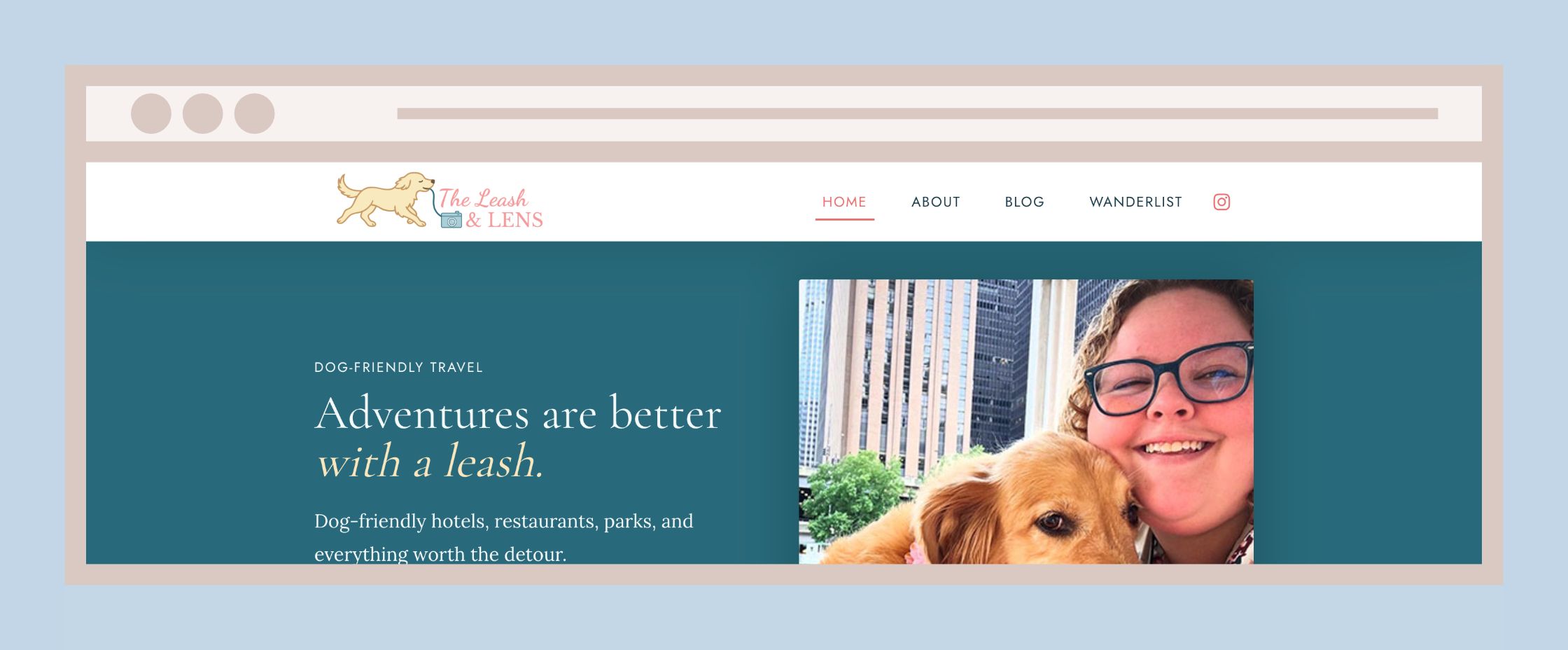
A dog-friendly travel blog I rebuilt from the ground up in WordPress, and the directory plugin that grew out of it.
Role
Solo: design, build, writing, photography, SEO
Platform
WordPress, Kadence, custom plugin (PHP, jQuery)
Timeframe
Rebuilt spring 2026, improved since
Live site
The Problem
The blog had outgrown its setup. It ran on a legacy theme with its own companion plugins, the photo galleries lived in NextGEN Gallery outside the WordPress Media Library, and a sidebar repeated the same links on every page. Behind the scenes, SEO fields had drifted from post to post.
The Wanderlist, our list of places Luna and I love, was a long page I edited by hand. As we traveled more, my worry was simple: the lists were going to get too long to use.
What I Decided, And Why
Compare themes before committing
I compared the free tiers of Kadence, Blocksy, and GeneratePress feature by feature, then chose Kadence with Kadence Blocks and Ultimate Blocks Pro for the layout tools a photo-heavy blog needs.
Design the system first
The palette came from the existing logo (teal, coral, and cream), with Cormorant Garamond, Lora, and Jost for type. It was written up as a 12-section spec, including a blog post template and six reusable post pieces such as a Quick Info box and “Luna’s Verdict.”
Move the galleries into the Media Library
NextGEN stored images in its own folders, so they could not be reused or managed like other media. I moved them into Kadence gallery blocks, following a migration checklist to avoid broken image references.
Keep it lean
I audited plugins before the theme switch and removed the legacy companion and unused ones. Category pills get their colors from plain CSS instead of extra code, the sidebar is gone, and the main menu stays at four items.
Turn the Wanderlist into a plugin
The page went from a hand-edited list to accordions to a filter written in a Custom HTML block. Each step was harder to maintain than the last, so the final version became a plugin: spots are added in WP Admin, and nobody touches code to add a hotel.
What I Built
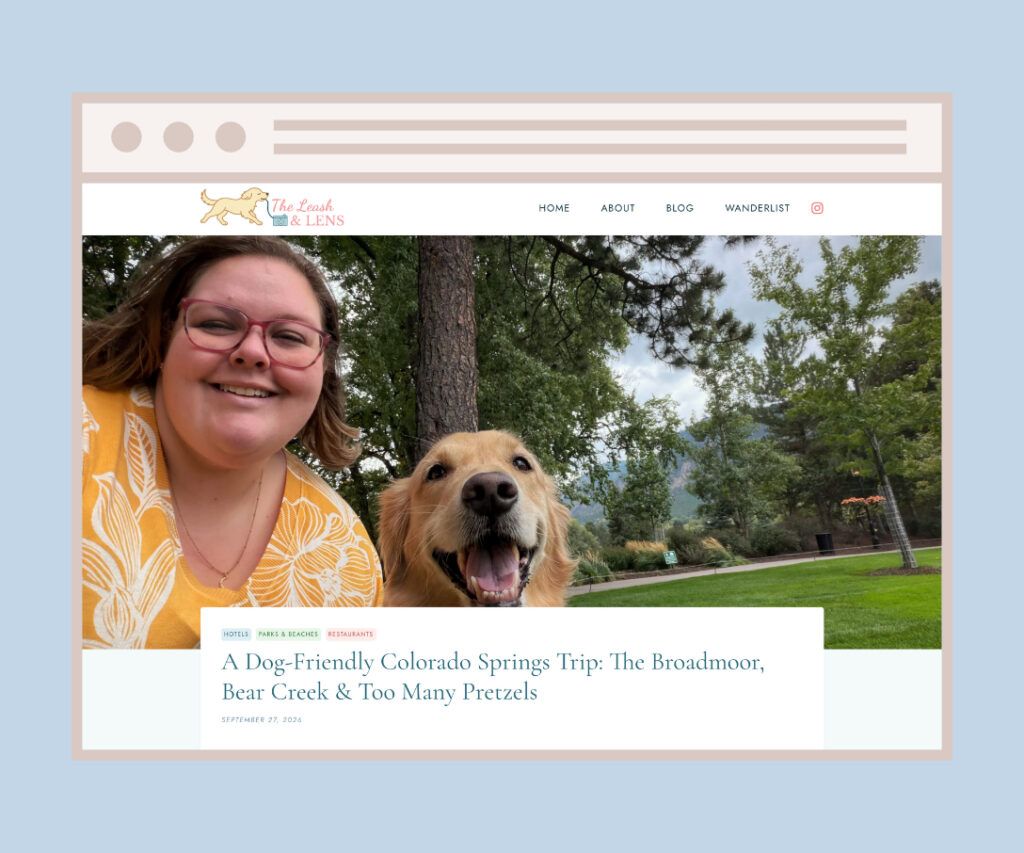
The redesigned theme setup, the post components from the spec, and Wanderlist, a custom plugin for a filterable directory of places.
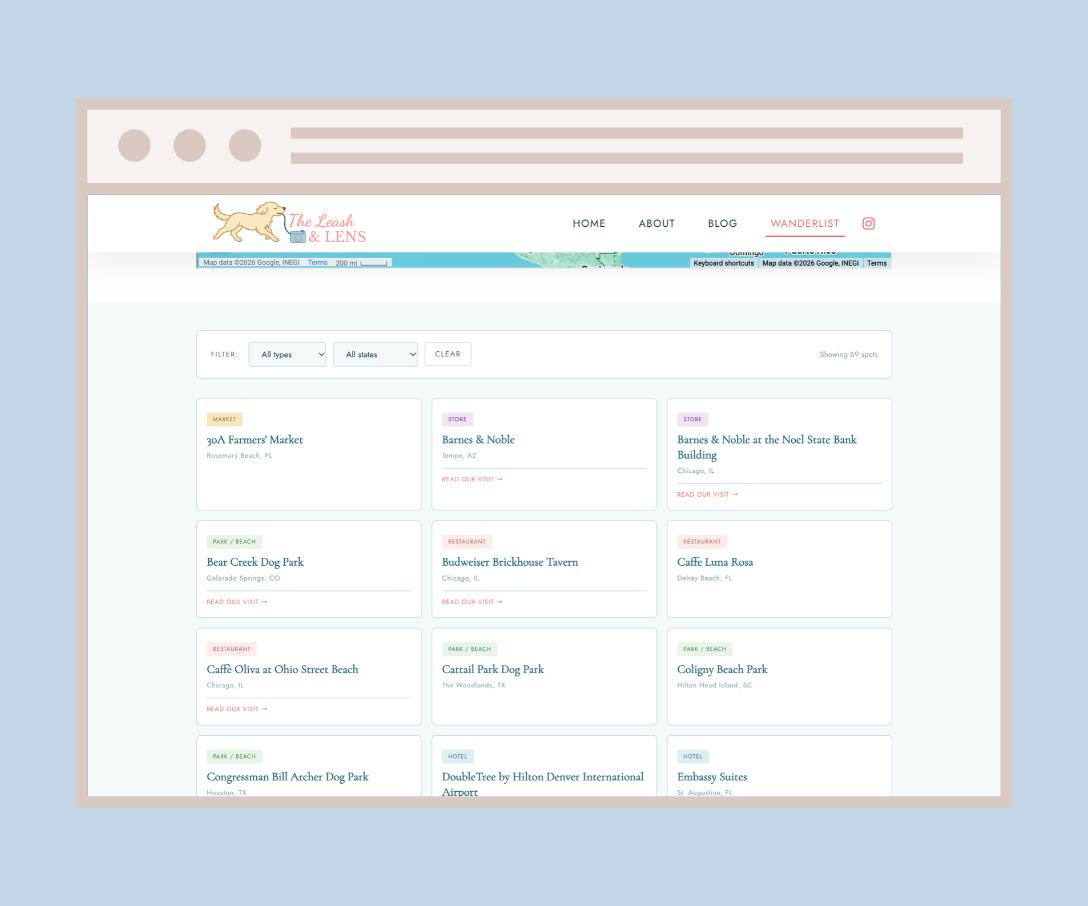
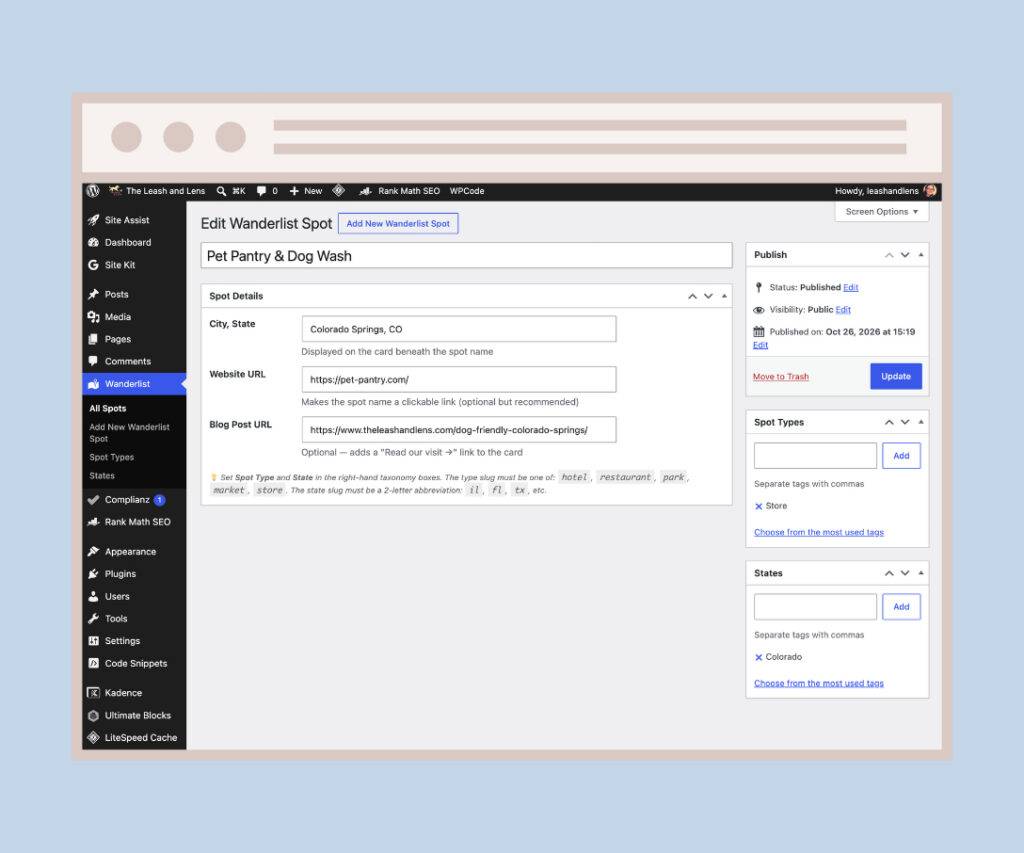
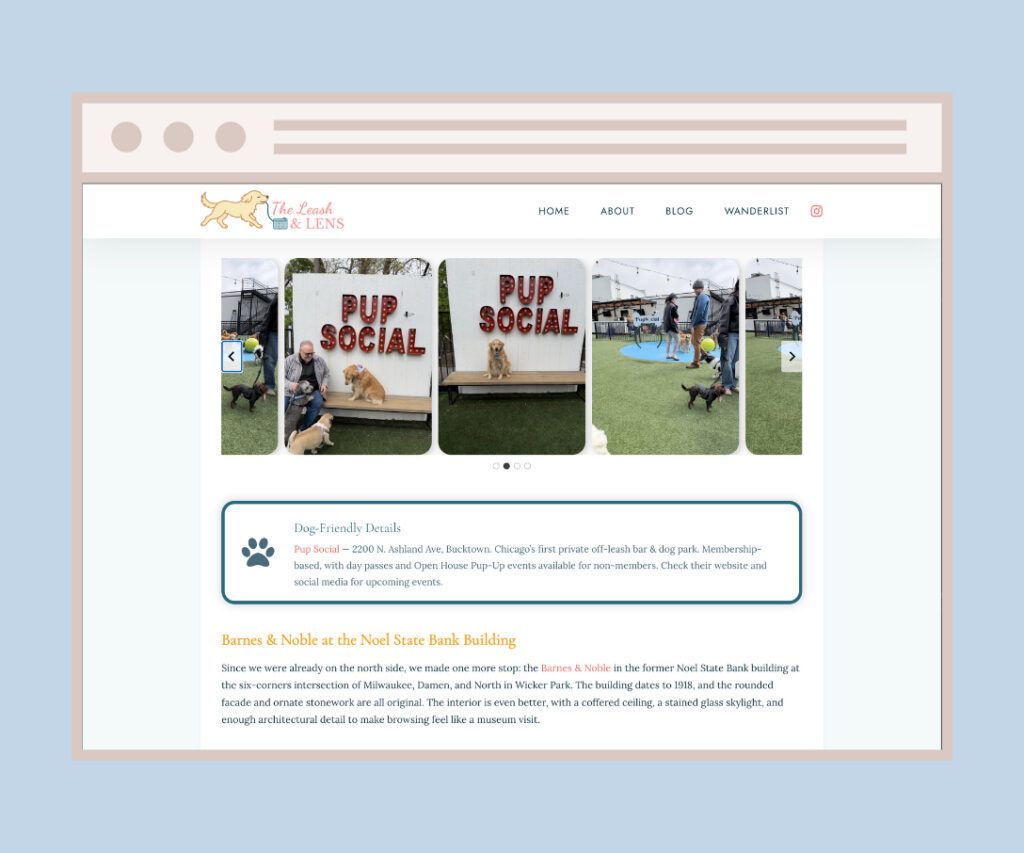
Inside the Wanderlist plugin
Each place is its own entry (a custom post type) with a type, such as hotel or park, and a state. Entries store the city, website, and a link to the blog post about our visit. A shortcode draws a filterable card grid, and the filter menus build themselves from the types and states actually in use. On first activation, the plugin imported about 50 existing spots, with a safeguard so reinstalling never duplicates them.
Version 1.1: links into filtered views
A link like /wanderlist/#hotel opens the page already filtered to hotels and scrolls to the results. Changing the filter updates the address, so you can share any view, and the cards on the About page now link straight into their category.
What Broke, And How I Fixed It
The content and SEO audit turned up problems that had been invisible from the front end. SEO titles were bleeding from one post into another. Old gallery shortcodes were showing up as plain text on the page. Tags typed with a # were producing broken /tag/%23 addresses, some posts were filed under every category, and tag counts ran anywhere from 2 to 17 per post.
I fixed the broken pieces, cleaned up categories and tags, and moved SEO from Yoast to Rank Math, setting a title, focus keyword, and description on every page and post with one consistent title format.
The plugin had its own lesson. A from-scratch rewrite broke class names and card styling, so I went back to the last working version and made changes in small steps instead. Two smaller fixes followed: the type menu was hardcoded, so it now reads the real list of types, and any new type gets a styled fallback badge.
Under The Hood
The deep links use the part of the address after the #. On page load, a small script reads it, sets the filter, and scrolls to the grid. When someone changes the filter, the script writes the new value back to the address without reloading. The filter script uses WordPress’s no-conflict jQuery pattern, and the admin notice is dismissed through a nonce-protected request.
Results
The rebuild was about structure and upkeep, and the site is small, so the honest numbers are modest. Search figures are Google Search Console data from GA4, July 2025 to November 2026.
69
places in the Wanderlist today, up from about 50 at launch, each added from WP Admin with no code
2,016
search impressions for the Drake Hotel review, averaging position 16, the post that carries the site’s search traffic
79%
of visits from Google search were engaged, averaging 45 seconds, against 15% for direct visits
Across the whole site, that is 2,380 impressions and 17 clicks, so search is still early. Most direct traffic comes from data centers and spam referrers rather than readers, which is why I judge the site by search visitors, who stay and read.
What I Would Do Next
Clean up what Google is indexing
Pulling the data for this case study showed Google listing WordPress system folders (/wp-includes/) and a Wanderlist filter address (?ll_spot_state=co). Turning off folder browsing on the server and keeping the plugin’s state filter out of search should clear both.
Go after the near misses
Searches for pet-friendly hotels on the Magnificent Mile already find the Drake review around positions 20 to 30. Working that phrase into the post’s title and headings is the most likely way onto the first page.
Link places and stories together
Each Wanderlist spot links to its blog post. The next step is linking posts back to their spots, so readers move between the two.
Finish the cleanup
Tag consolidation is in progress, followed by alt text on featured images.
Publish Wanderlist on GitHub
With a README covering setup, how it works, and its limits.
Who did what
The Leash & Lens is mine: the writing, the photos, the design decisions, and every install, setting, and test on the live site. Claude helped research the theme comparison, draft the design spec and audit report, and wrote most of the plugin code from my requirements. I tested and shipped every change. Some page copy was drafted with ChatGPT.
Next case study
This Site
Want To Talk About A Website?
Recruiters, hiring managers, and fellow developers are all welcome.